Deliverable
The BAS points list that fills itself in
Add your equipment, on the riser or in a table: their points come with them.
Short answer
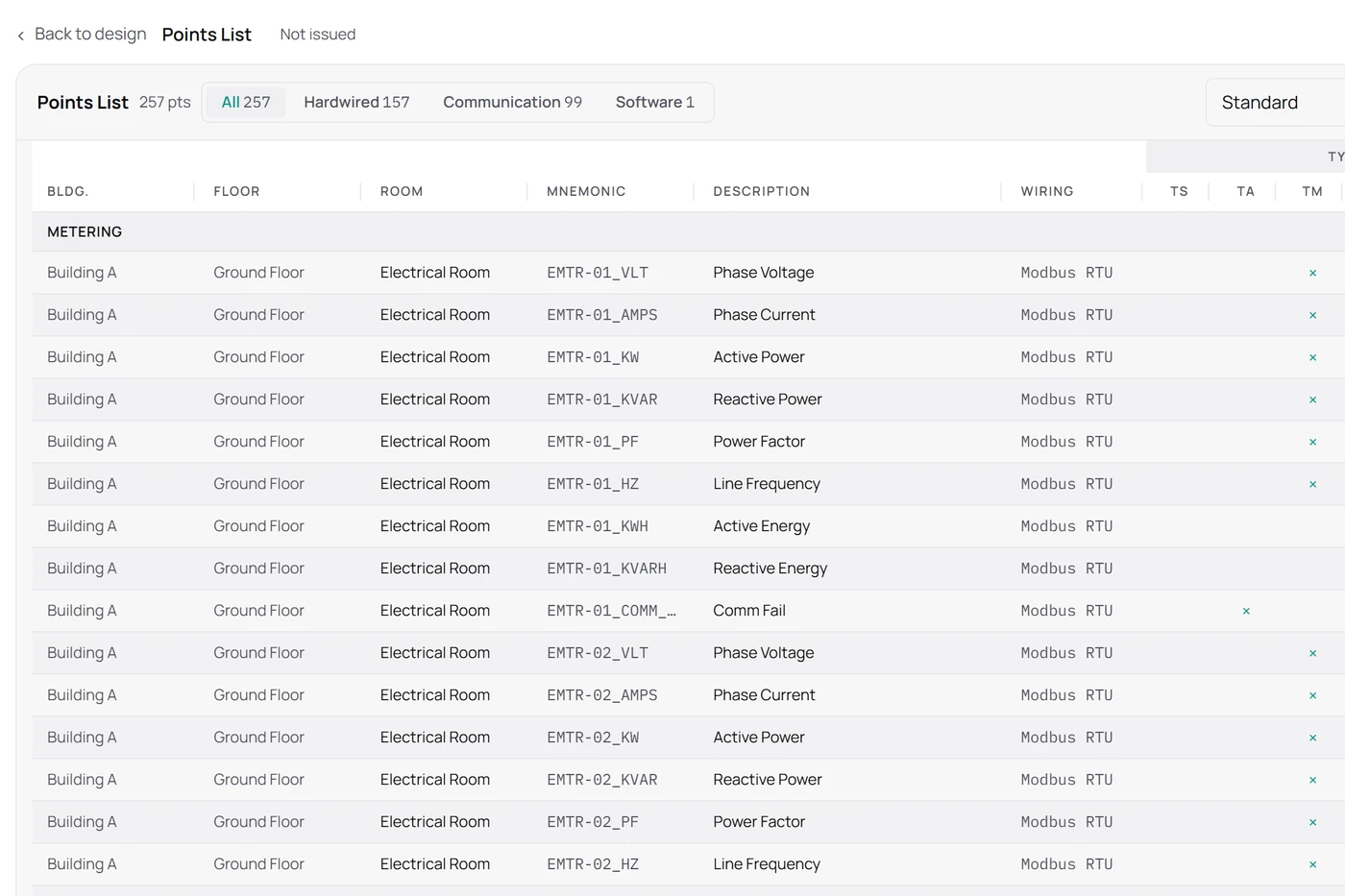
A BAS points list covers every point of a job: for each piece of equipment, its statuses, commands, values and alarms, with their type (binary, analog…) and connection. In Structio, you don’t type it: each device added to the job brings the points of its library model, and a renamed tag changes on the riser too.
What Structio puts in it
- Every point of the job, grouped by device and by room.
- Each point’s type (binary, analog…) and connection: hardwired, network or software.
- Points brought in by each device’s library model, which you adjust to the job.
- The addressing book and the BACnet EDE export, from the same data.
- Export to Excel, PDF or CSV.
How it is produced
Create your job
Buildings, floors, rooms: the structure of the building, in a few clicks.
Add your equipment
On the riser by dragging, or in a table if you prefer entering rows.
The list fills itself in
Each device brings the points of its model; you adjust what is specific to the job.
Frequent questions
- Which formats can I export the points list to?
- Excel, PDF and CSV.
- Do I retype the points of each device?
- No. A device brings the points of its library model; you only change what differs on the job.
- Do the points list and the riser stay consistent?
- Yes: both come from the same project. A renamed tag or a removed device changes in both at once.
- Is the addressing book included?
- Yes, with the BACnet EDE export, from the same data as the points list.
- Which controller brands are supported?
- Any brand. The library includes Distech Controls, Schneider Electric, Siemens, Honeywell, Johnson Controls, KMC Controls and Tridium, among others, and you add your own models.
Build the points list of one of your jobs.
Free for 7 days, full access. Cancel anytime.